SOLO6X9LE – SOLO 6×9 Postcard
(Postcard) (4-Color) (Bleed)
Paper: 100#, 9pt Gloss Card Stock
Markets must opt in to sell event postcards. Prior to creating this product, contact your sales leader to confirm your market is opted in to sell.
Size / Design – Specifications:
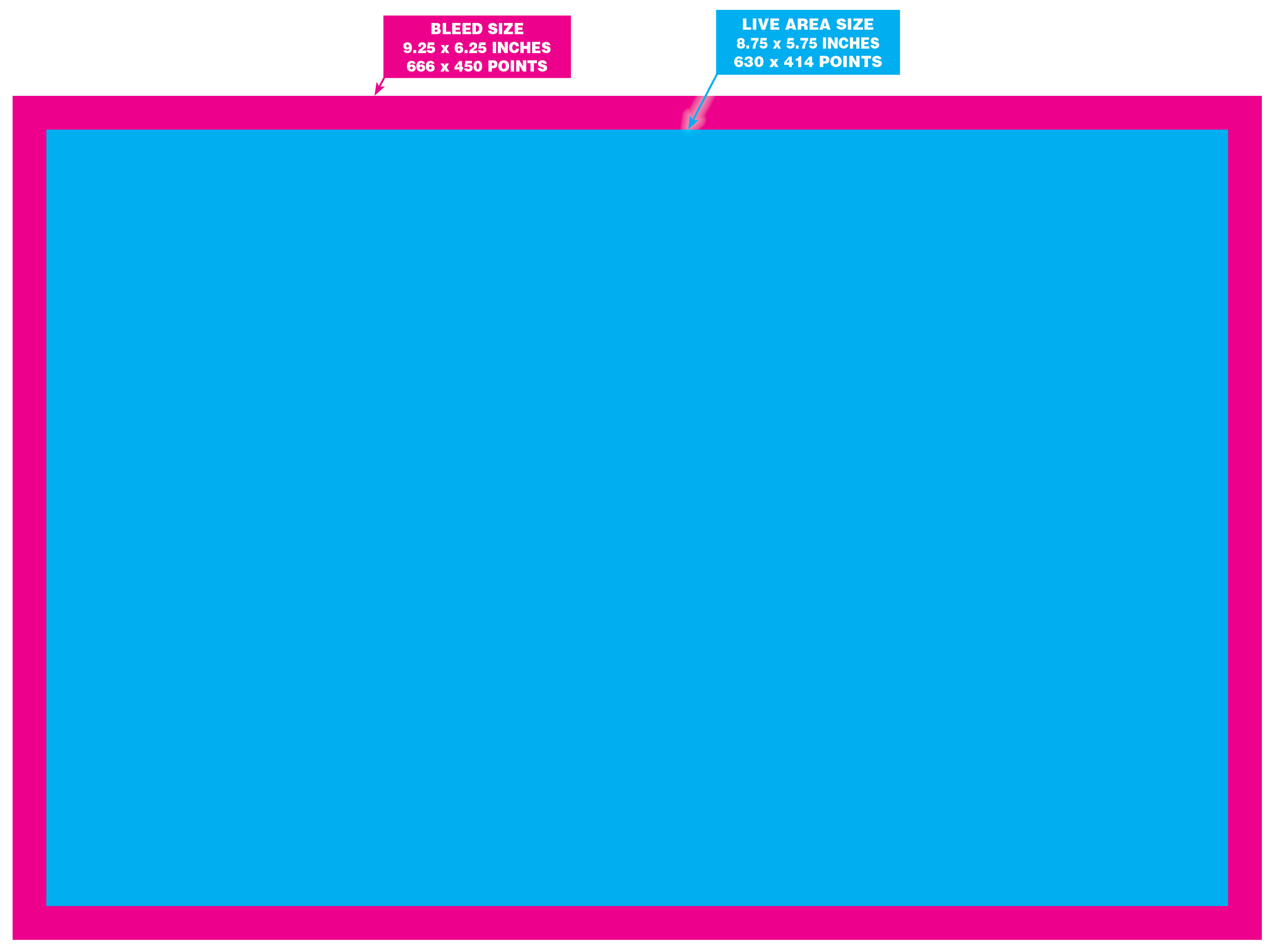
- Live Image Area: 8.75 inches x 5.75 inches (630 points x 414 points)
- Trim: (this is where the paper will be cut – Do not build to this size): 9 inches x 6 inches (648 pts x 432 pts)
- Bleed Area: 9.25 inches x 6.25 inches (666 points x 450 points)
SOLO 6×9 Life Event: Is a Bleed** product, so background images and art elements can extend into the Bleed area of the template. Keep all layout elements that you don’t want to be trimmed or cropped, inside of the Live Image Area of the template. The Address Area must be clear of all backgrounds, images, artwork or text.
** IMPORTANT Note about Bleed Products: Valpak’s templates are intentionally built without bleed settings applied. If using a Valpak template and your product calls for a bleed, do not enter any bleed settings. Instead, simply build your layout according to the bleed margins designated on the template.
Click HERE to download the InDesign templates.
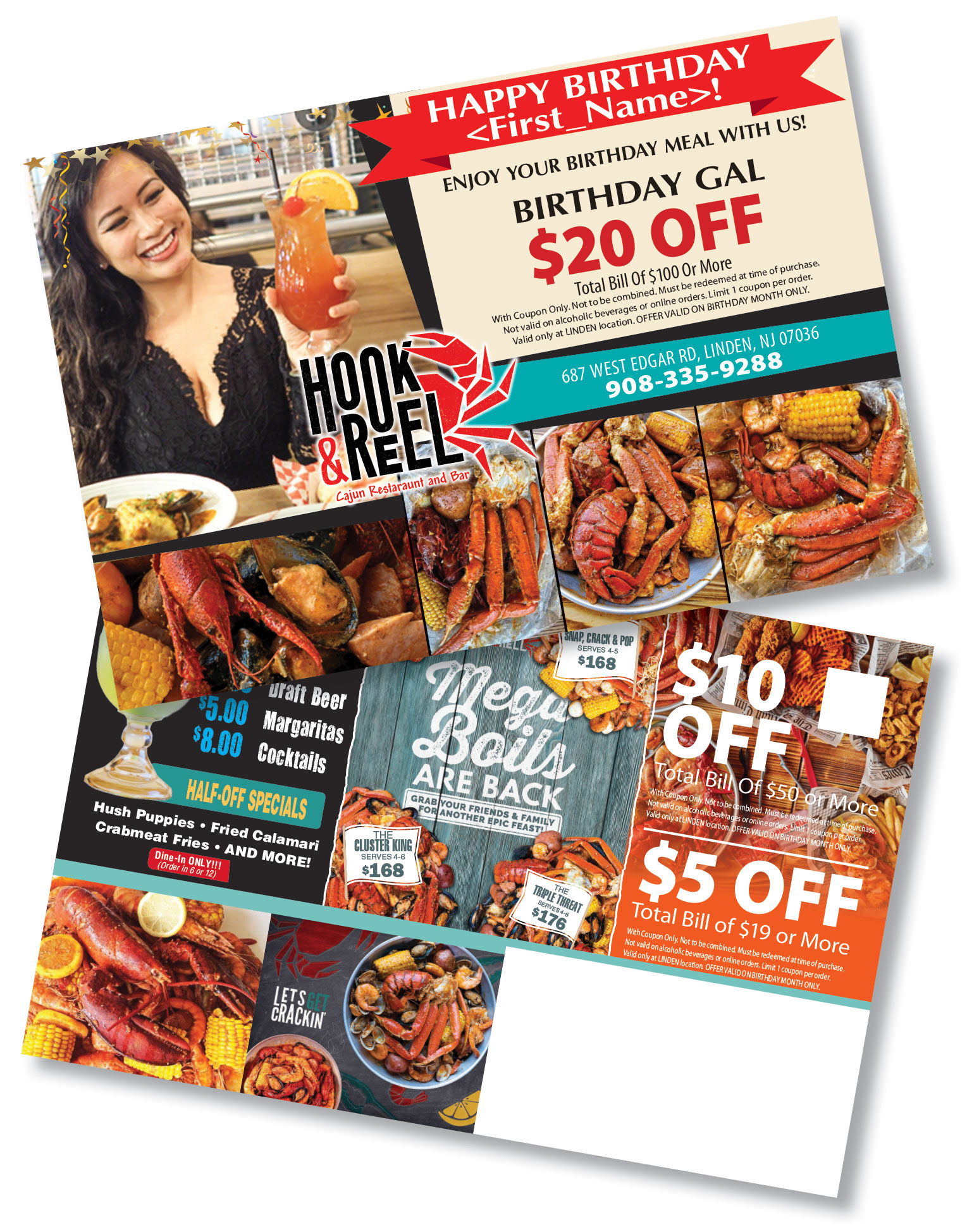
Example of a properly built SOLO 6×9 Life Event product (Birthday Category):
Side 1 (Postcard Side) layout visual showing where the Bleed Area and Live Image Area are located.
Side 2 (Address Side) layout visual showing where the Bleed Area, the Live Image Area, the Indicia, and the Address Area are located.
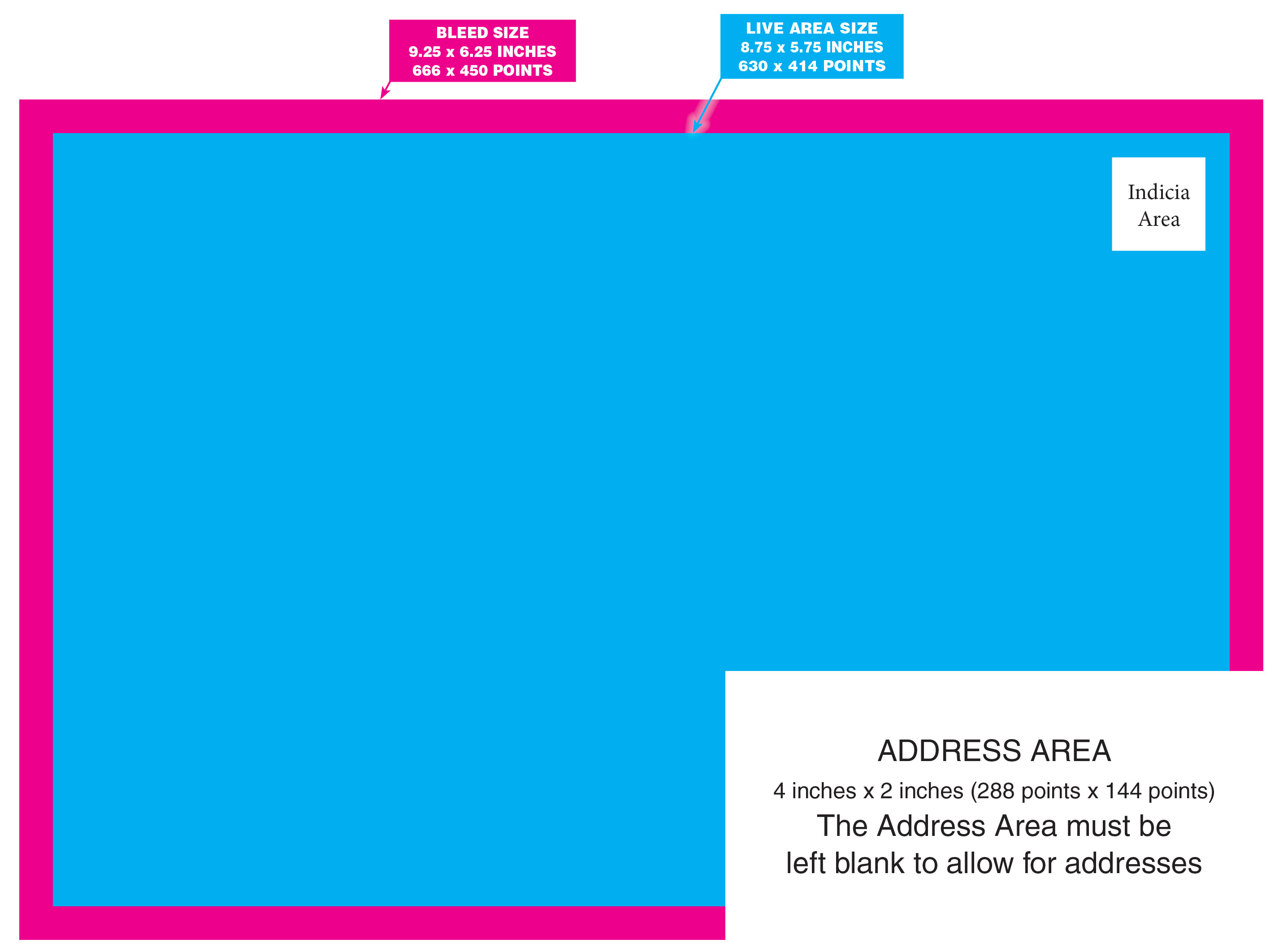
CRITICAL DESIGN NOTE: The Address Area must be clear of all backgrounds, images, artwork or text.
How to build this product:
Background images and art elements can extend into the Bleed Area of the template. Keep all other text, logo, and important layout elements inside of the Live Image Area of the template. The Address Area must be clear of all backgrounds, images, artwork or text.
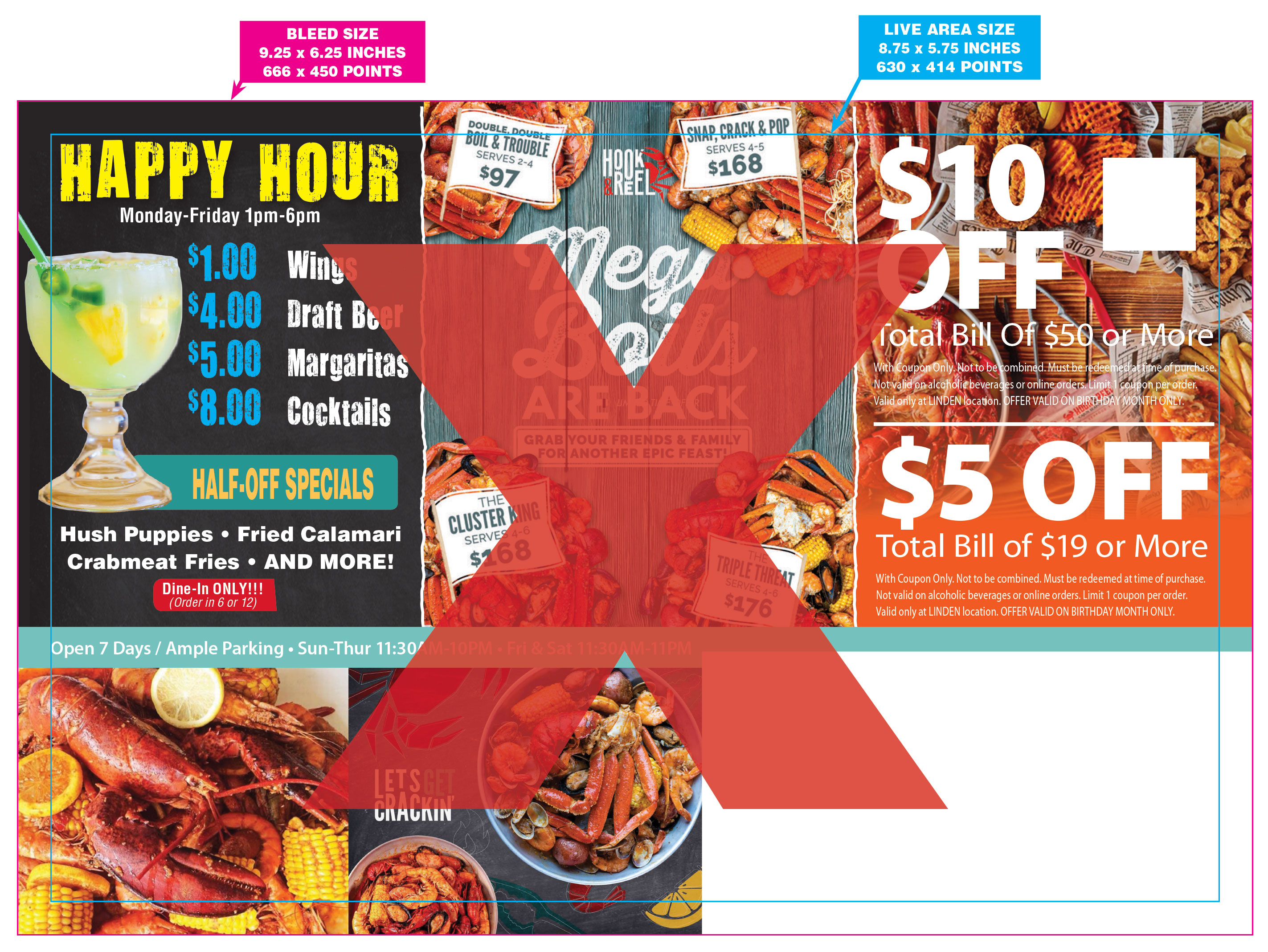
!!! INCORRECT:
Visual showing an incorrectly built SOLO 6×9 Life Event product. Notice that the two flags at the top center of the layout are extending into the Bleed Area. This does not meet Valpak guidelines for SOLO 6×9 Life Event products.
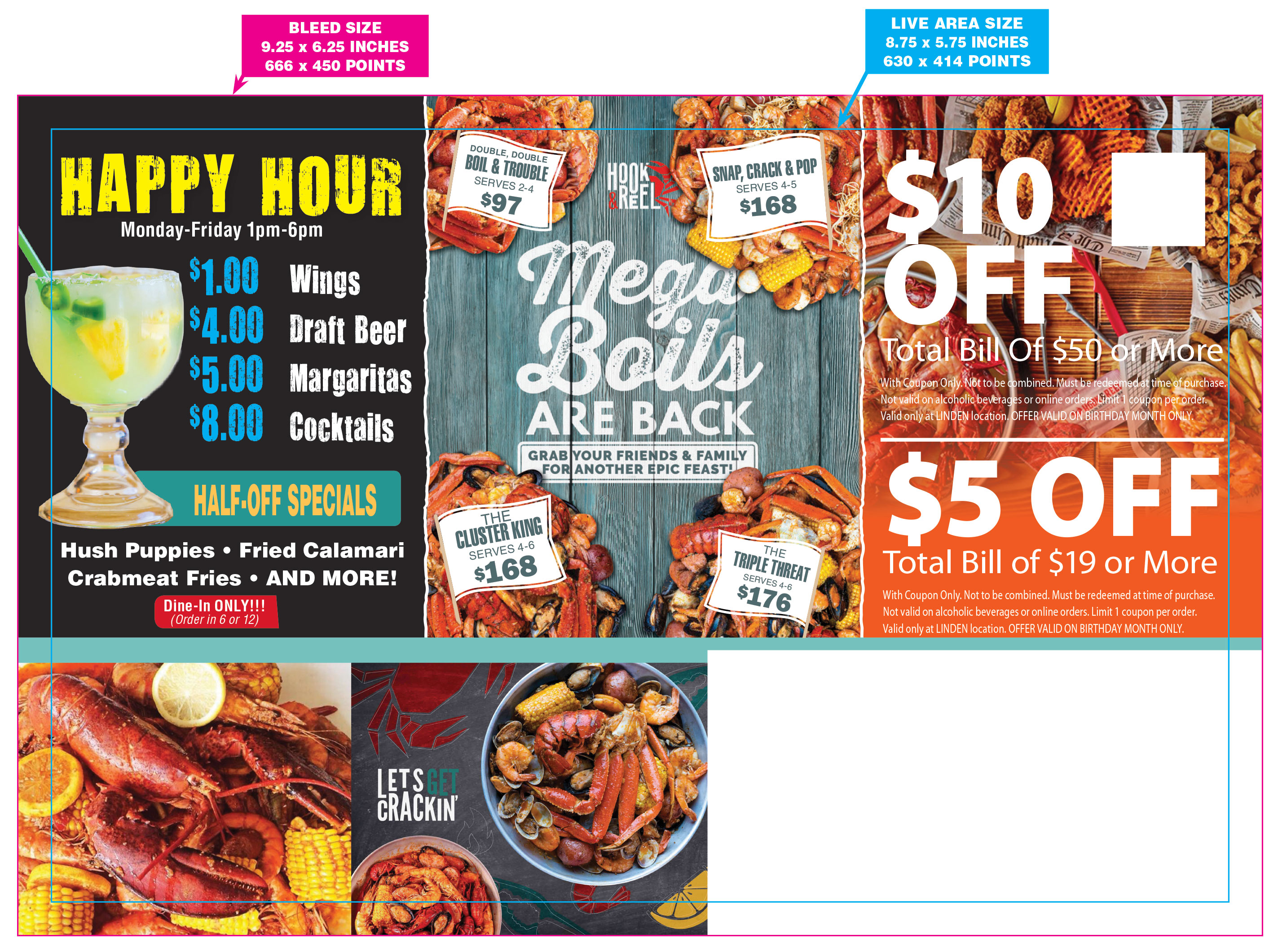
CORRECT:
Visual showing a correctly built SOLO 6×9 Life Event product. Only the background and images are extending into the Bleed Area, and all the important layout elements are completely within the Live Image Area. The Address Area is also clear of all backgrounds, images, artwork or text.
Life Event “Personalization” – How to include/typeset this “variable” content in your layout.
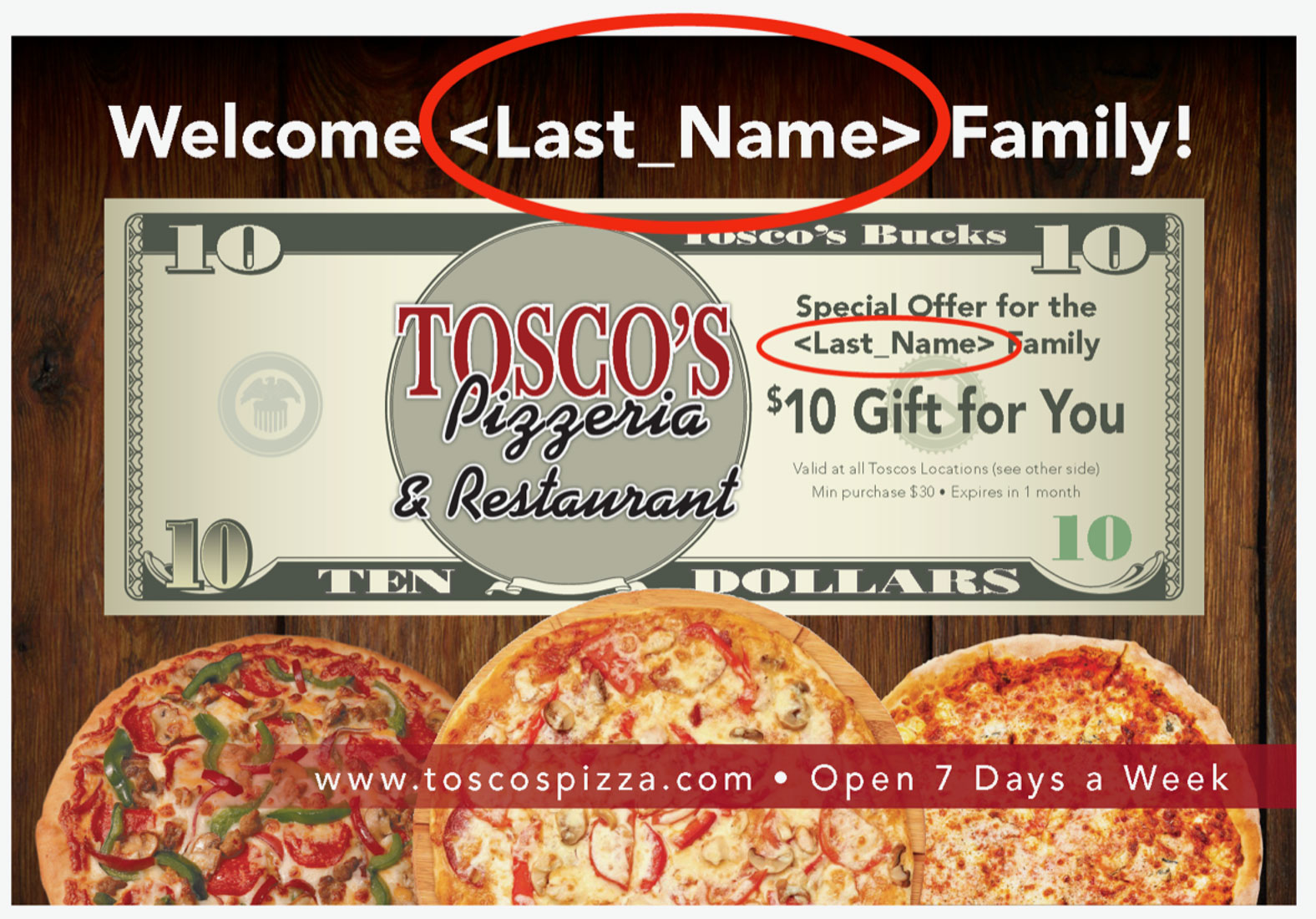
Personalization Code(s) that appear in a layout, e.g., <<First_Name>> will later be replaced by the print vendor using a list of names that coincide with the homeowners receiving the postcard. The Personalization Code(s) cannot deviate from the two formats seen below:
<<First_Name>>
Two (Less Than symbols) << (followed by the word) First (followed by an Underscore character) _ (followed by the word) Name (followed by two Greater Than symbols) >>
<<Last_Name>>
Two (Less Than symbols) << (followed by the word) Last (followed by an Underscore character) _ (followed by the word) Name (followed by two Greater Than symbols) >>
Notice that the letters "F", "N", and "L" are uppercase, while all remaining letters are lowercase.
IMPORTANT FONT INFORMATION:
There are specific font requirements that must be followed when setting the Personalization Codes within your page layout:
- All Adobe Creative fonts are acceptable.
- All Google fonts are acceptable.
- If the Life Events postcard design has been successfully processed previously, then the font used is acceptable.
- If the desired font does NOT meet the criteria above, use an OpenType font that is licensed for commercial use (royalty-free).
- The variable text (Personalization line of copy) must be set using a font so it can easily be removed and replaced within the PDF. This variable content cannot be part of an image (raster format is not permitted).
Personalization Codes must remain consistent when used on both the front and back of the postcard. For example, all instances should be either <<First_Name>> or <<Last_Name>>.
A layout side can contain no more than two Personalization Codes per layout side. (See example below).