CP44-C+I
(1 Panel) (4-Color) (Two Sided) (No Bleed)
(With Barcode Imprinting)
“-C” = 9pt UnCoated Cardstock Paper
“+I” = Imprinting
Size Specifications:
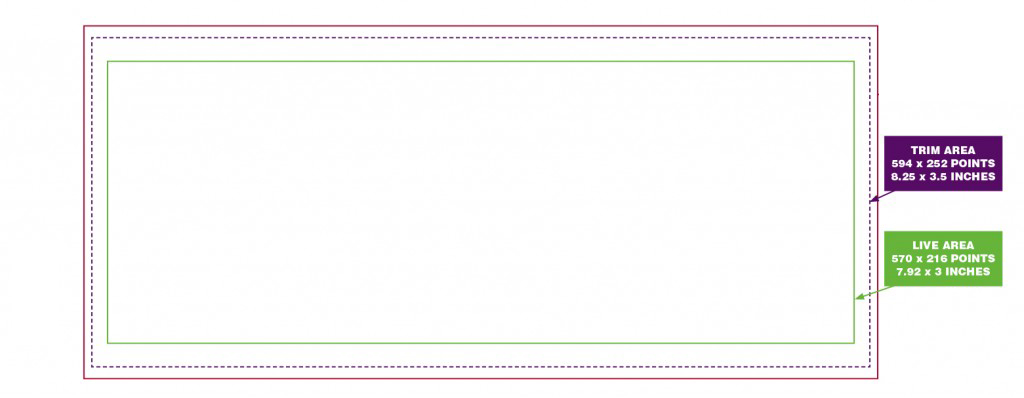
- Live Image Area: 7.9167 inches x 3 inches (570 points x 216 points)
- Trim: (this is where the paper will be cut – Do not build to this size): 8.25 inches x 3.5 inches (594 points x 252 points)
CP44-C+I: Is a Non-Bleed product with barcode imprinting, build the layout using the Live Image Area size. Keep all layout elements that you don’t want to be trimmed or cropped, inside of the Live Image Area. This product can also be designed for Imprinting.
Click HERE to download the InDesign templates (Horizontal and Vertical Layouts).
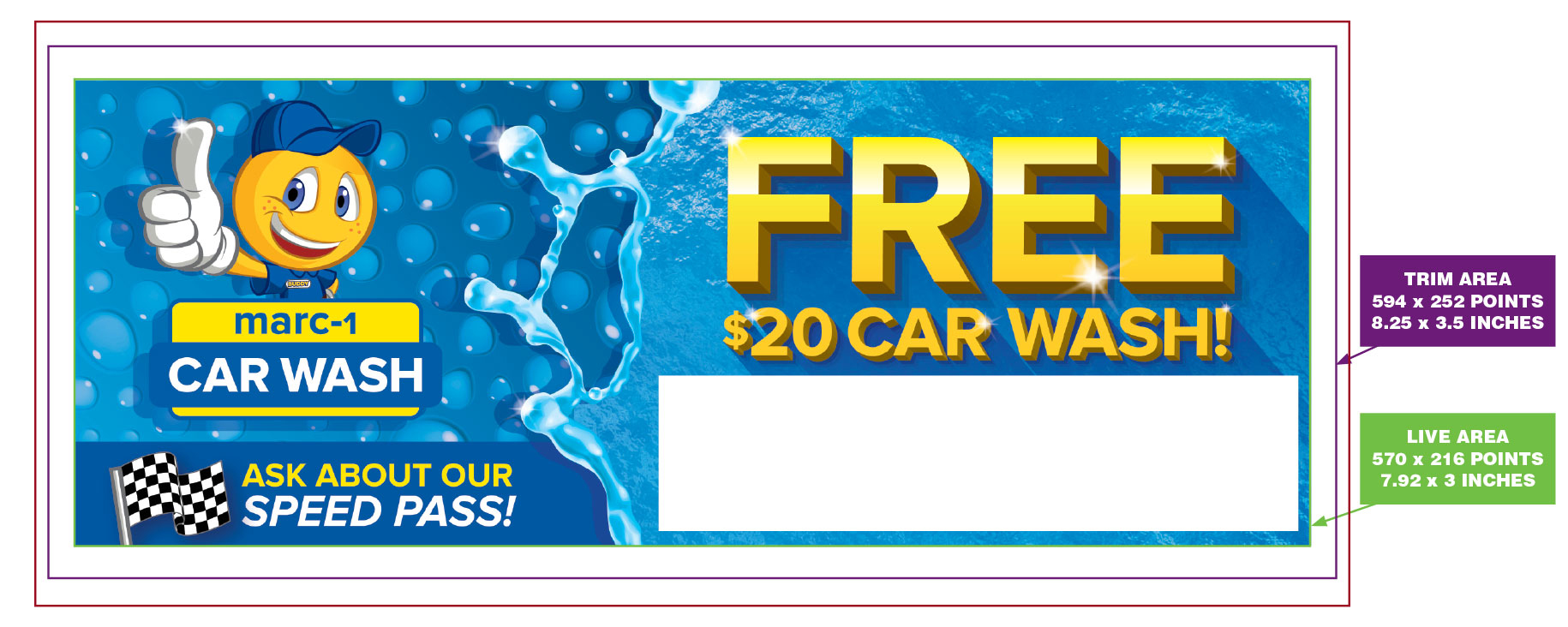
Examples of properly built CP44-C+I with barcode imprinting:

Horizontal Layout visual showing where the Trim and Live Area are located:
Horizontal Layout visual showing where the Imprinting Area can be located:
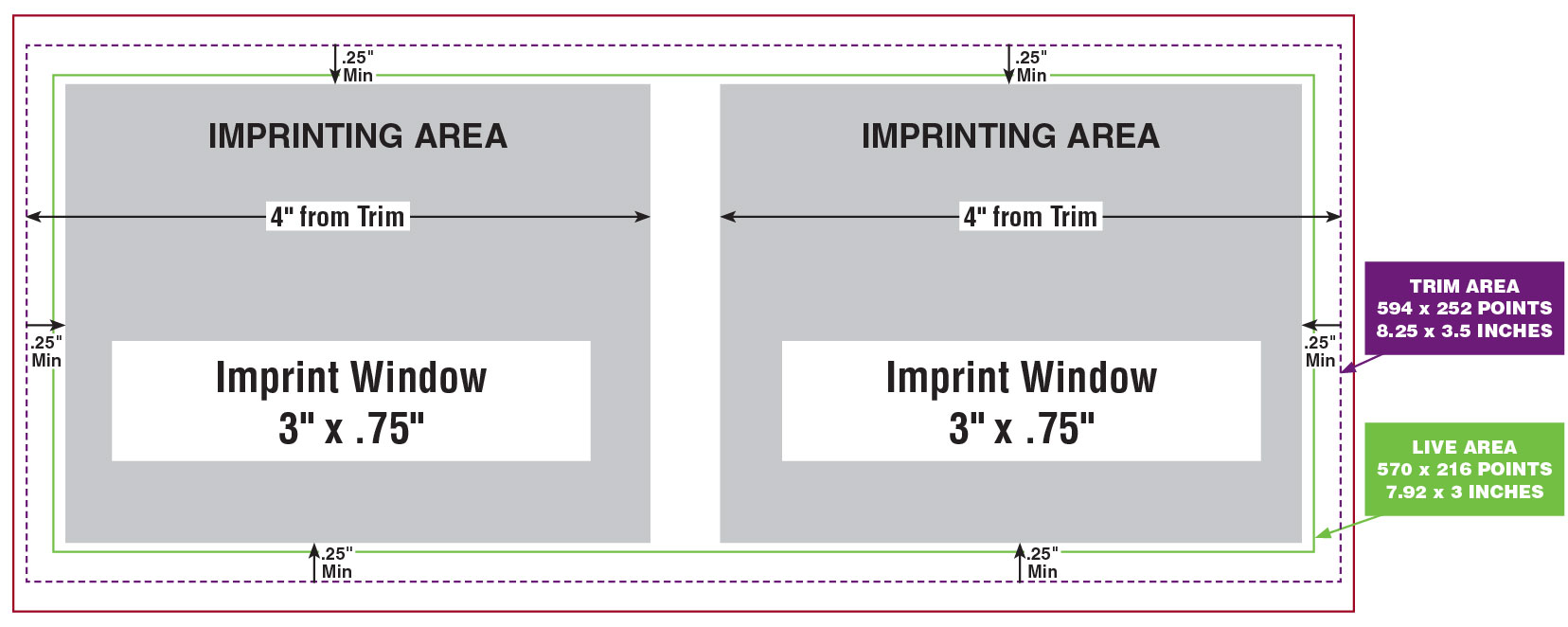
The Imprinting Area is the available space for the Imprint Window. It must not be closer than .25″ from the Trim Area, and no more than 4″ from the Trim Area.
The Imprint Window is where the barcode will be printed, and it can be on the left or right side of the layout anywhere inside of the Imprinting Area.
**IMPORTANT IMPRINTING NOTE: The Imprint Window must be clear of all backgrounds, images, artwork or text.
For more information on Imprinting, please contact your Valpak representative.
How to build this product:
!!! INCORRECT:
Horizontal Layout visual showing an incorrectly built CP44-K+I product. Notice that the “Speed Pass” artwork is outside the Live Image Area. This will result in this element being trimmed when this is printed.

CORRECT:
Horizontal Layout visual showing a correctly built CP44-K+I product. All of the layout elements are completely contained within the Live Image Area, and the Imprint Window is clear of all backgrounds, images, artwork or text.