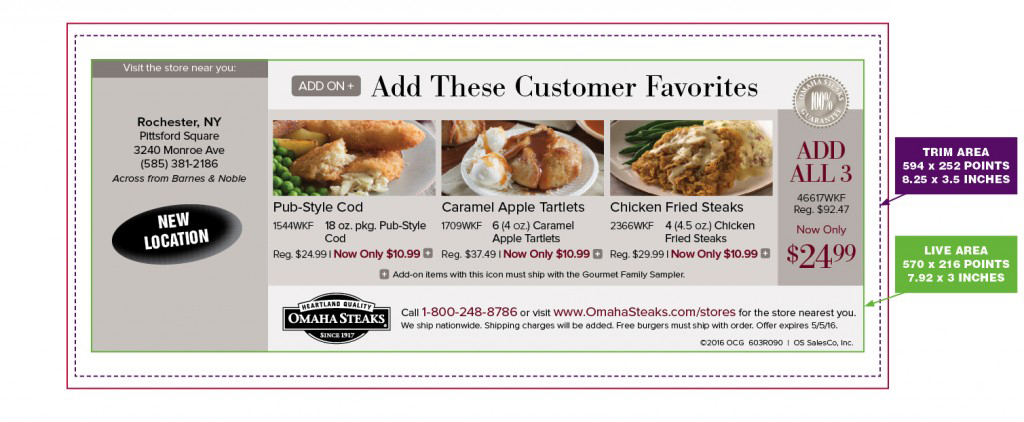
CP44-C
(1 Panel) (4-Color) (Two Sided) (No Bleed)
“-C” = 9pt UnCoated Cardstock Paper
CP44-C Size Specifications:
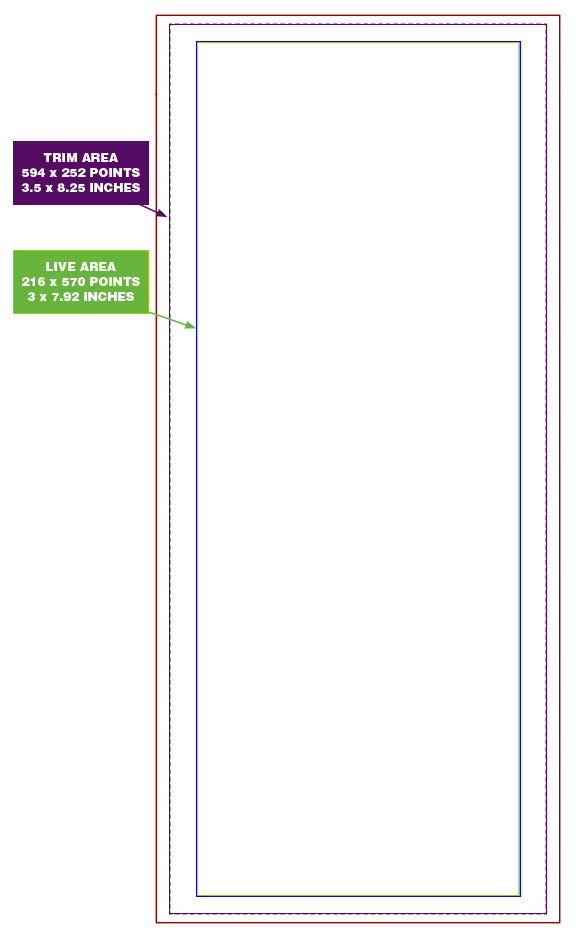
- Live Image Area: 7.9167 inches x 3 inches (570 points x 216 points)
- Trim: (this is where the paper will be cut – Do not build to this size): 8.25 inches x 3.5 inches (594 points x 252 points)
CP44-C: Is a Non-Bleed product, build the layout using the Live Image Area size. Keep all layout elements that you don’t want to be trimmed or cropped, inside of the Live Image Area. This product can also be designed for Business Reply Mail (BRM). If building a BRM product, Valpak highly recommends using our BRM InDesign templates to ensure post office compatibility.
CP44-C Size Specifications for Business Reply Mail (BRM):
- Live Image Area: 7.75 inches x 2.945 inches (558 points x 212 points)
- Trim: (this is where the paper will be cut): 8.25 inches x 3.5 inches (594 points x 252 points)
** Important Template Information: The BRM sections have been built to meet specific postal regulations. Do not alter or re-arrange any of the “tear-off” or BRM elements, or the post office may have difficulty with the return mail portion.
Click HERE to download the 1-Panel InDesign templates (Horizontal and Vertical Layouts), including the Business Reply Mail (BRM) templates.
Here are the Business Reply Mail (BRM) template code definitions (Click on thumbnails to enlarge):
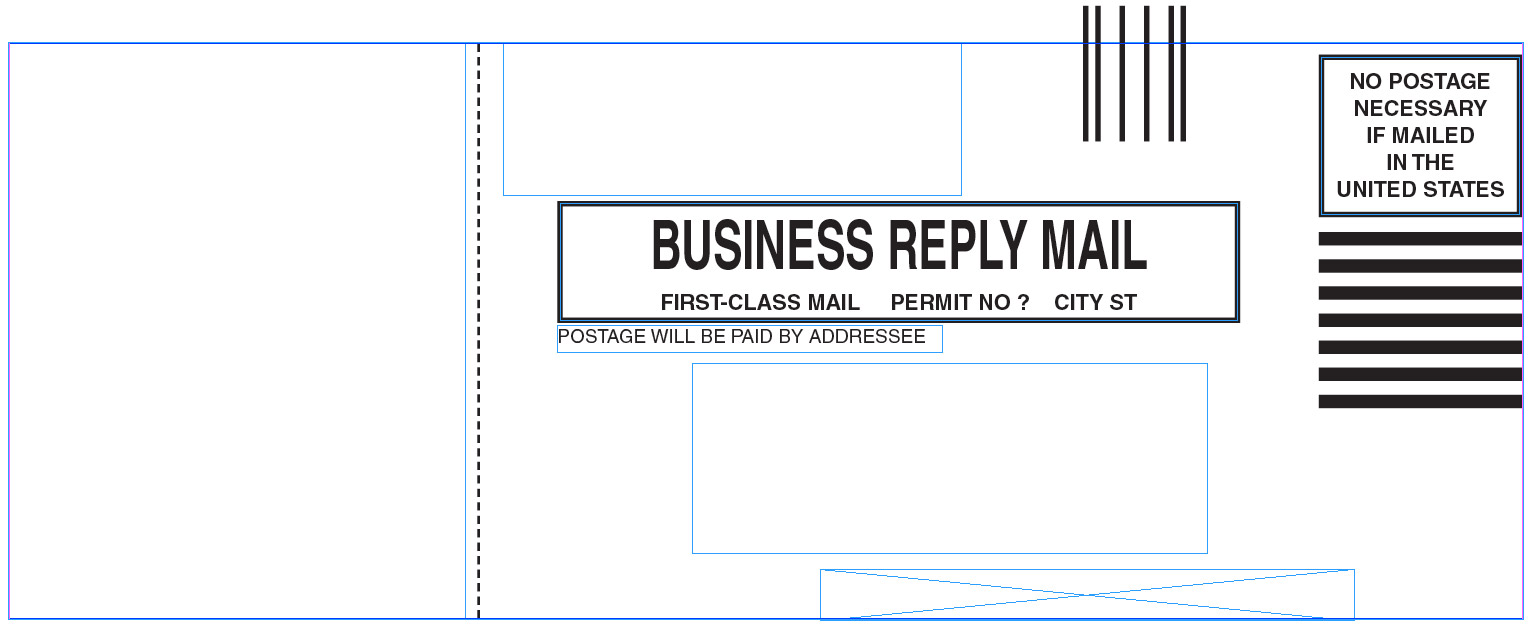 BRMBC = Business Reply Mail with Barcode and Tear-Off
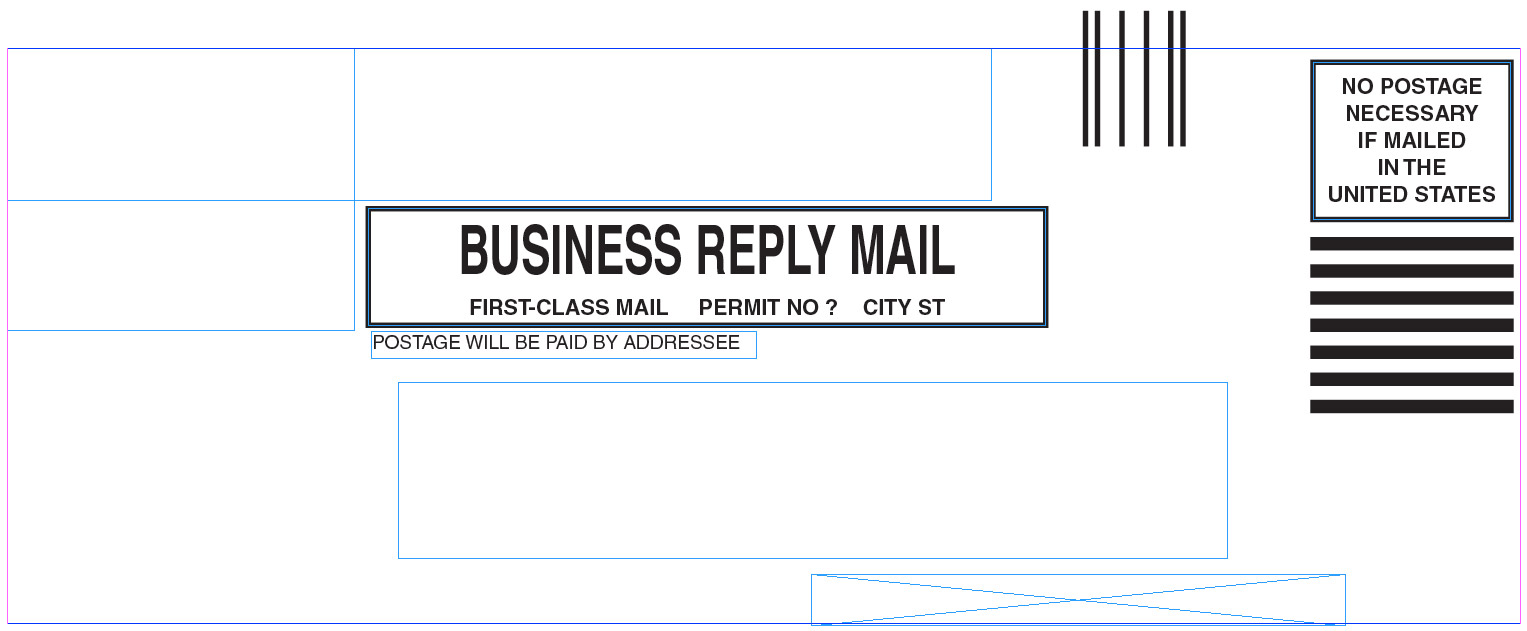 BRMBR = Business Reply Mail with Barcode
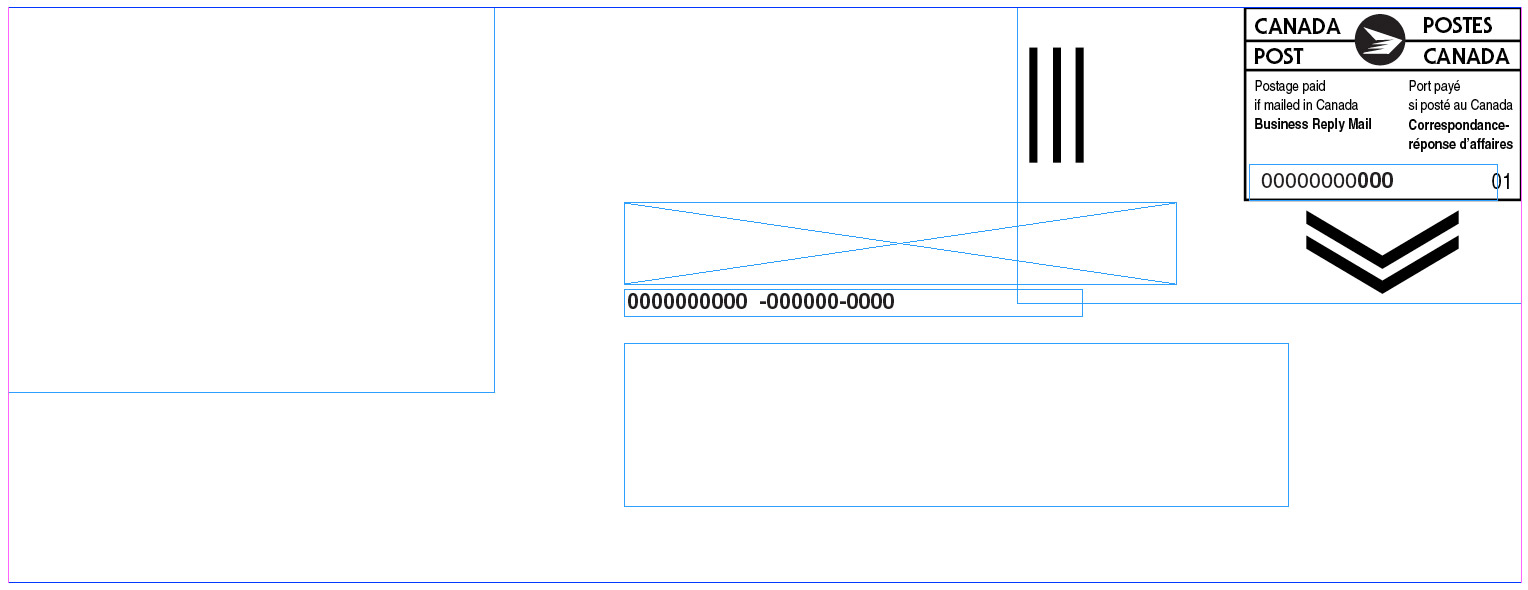 CANBRMBC = Canadian Business Reply Mail with Barcode and Tear-Off
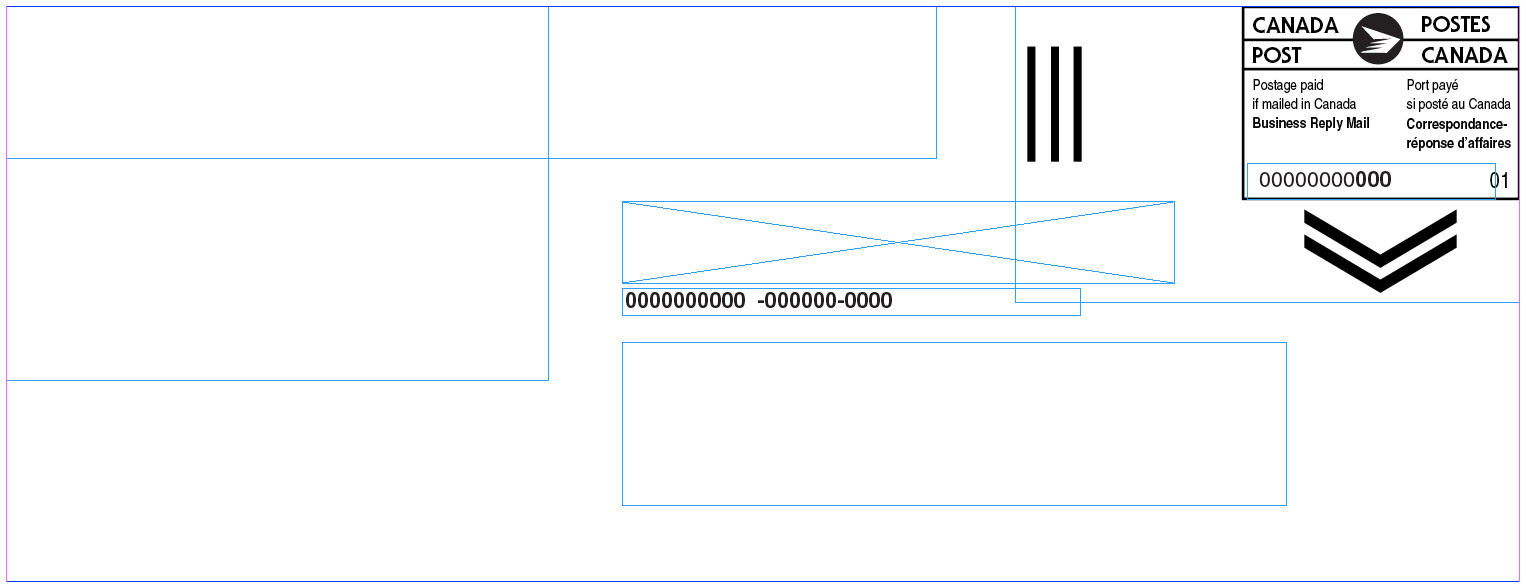 CANBRMBR = Canadian Business Reply Mail with Barcode
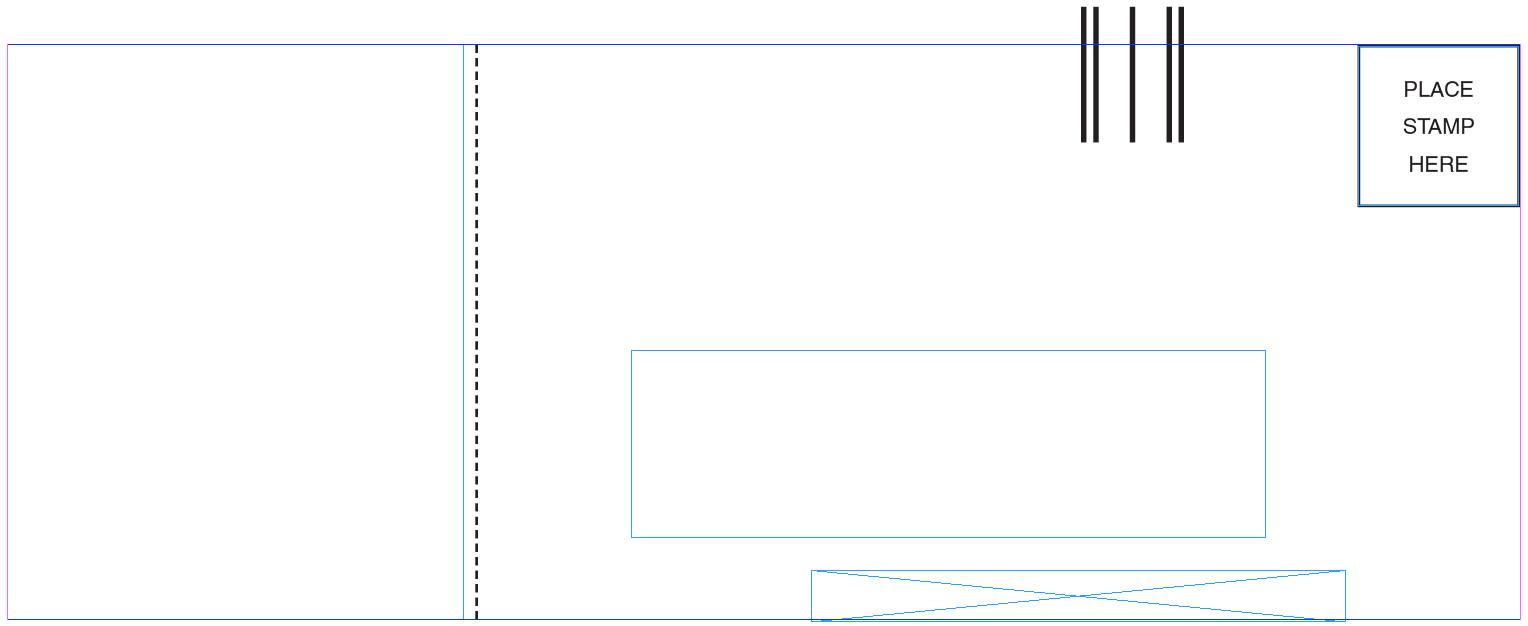 PSHC = “Place Stamp Here” with Barcode and Tear-Off
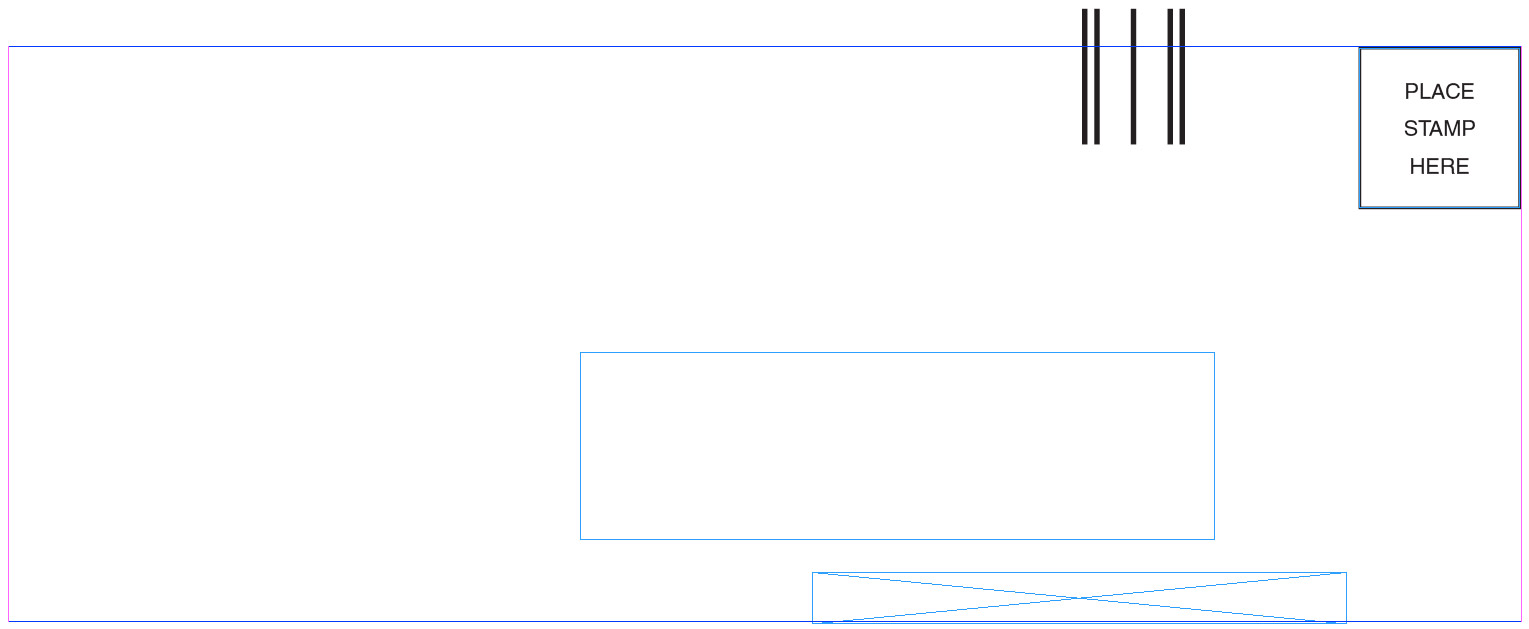 PSHR = “Place Stamp Here” with Barcode
Examples of properly built CP44-C products:

IMPORTANT:
CP44-C material type does not need to be designed in a Business Reply Mail format as seen above. The “C” in the material type simply represents that the product is printed on 9pt uncoated card stock paper. How the coupon layout is designed is entirely up to the advertiser.
Horizontal Layout visual showing where the Trim and Live Area are located.
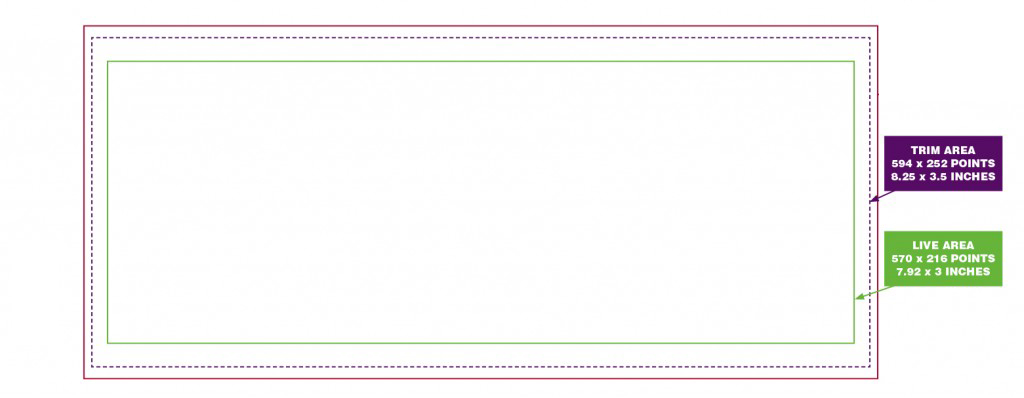
Vertical Layout visual showing where the Trim and Live Area are located.
How to build this product:
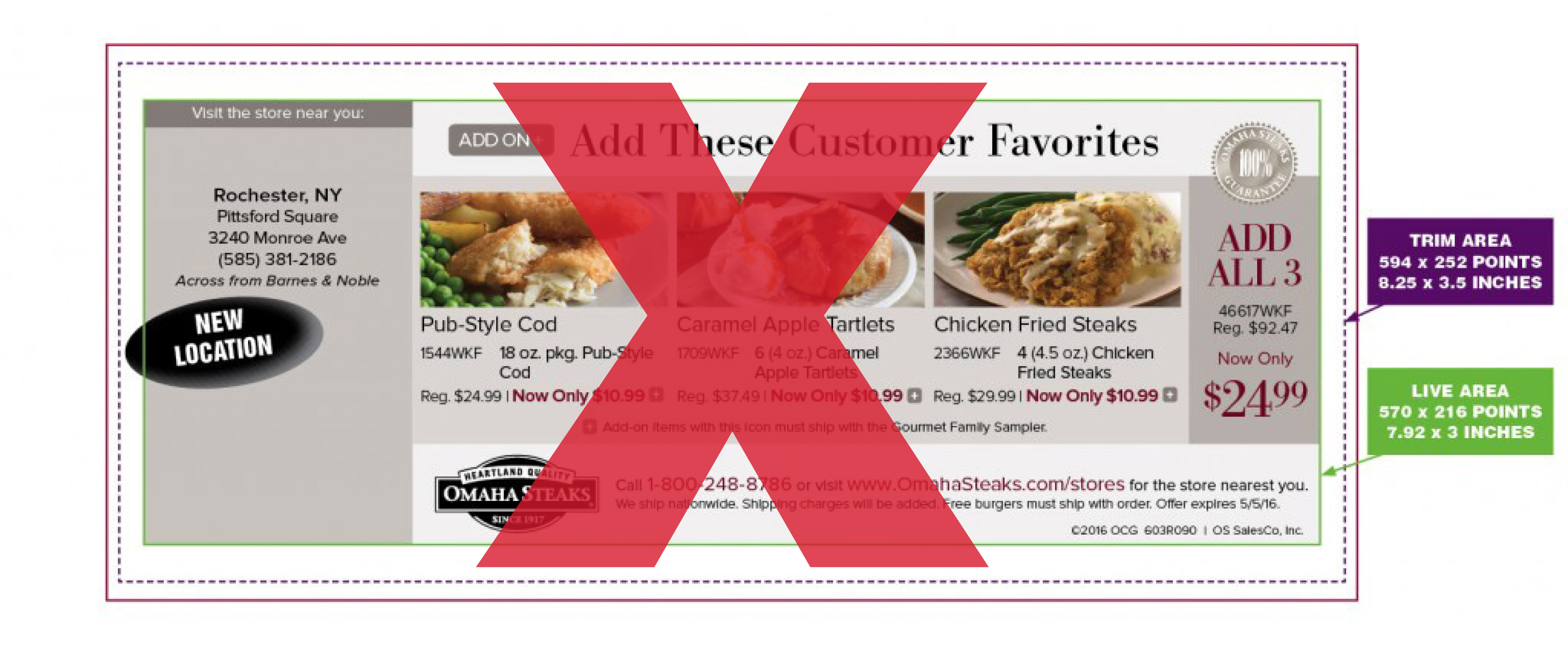
!!! INCORRECT:
Horizontal Layout visual showing an incorrectly built CP44-C product. Notice that the “New Location” button is outside the Live Image Area. This will result in the button being trimmed when this is printed.
CORRECT:
Horizontal Layout visual showing a correctly built CP44-C product. All of the layout elements are completely contained within the Live Image Area.