6FB44-P
IMPORTANT – The bleed dimensions for this product have been changed in Feb. 2020. Please make sure you download and use the newest template: CLICK HERE
(6 Panel) (4-Color) (Two Sided) (with Bleed)
“-P” = 50# Glossy Paper
Size Specifications:
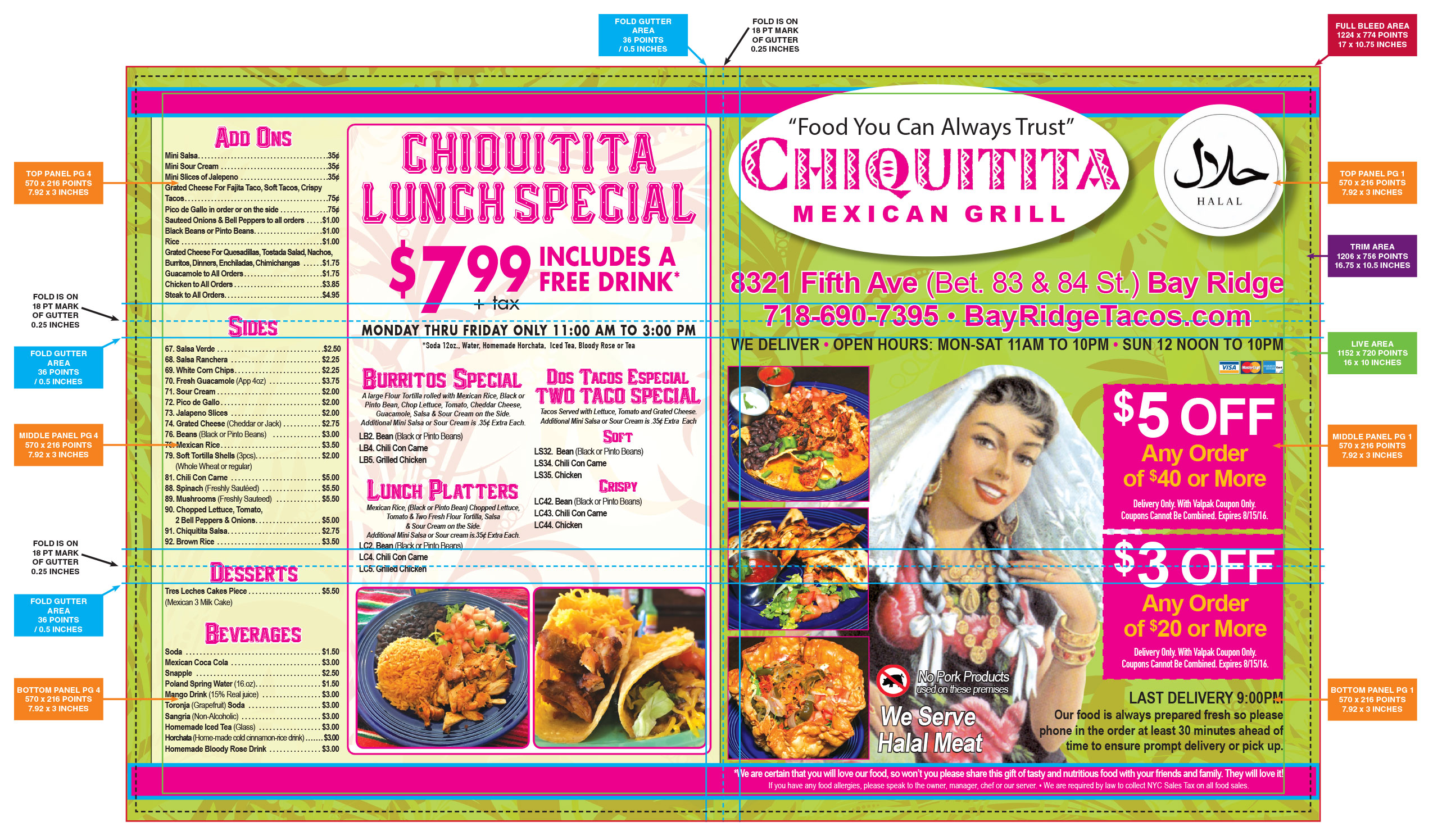
- Live Image Area: 16 inches x 10 inches (1152 points x 720 points)
- Trim: (this is where the paper will be cut – Do not build to this size): 16.75 inches x 10.5 inches (1206 points x 756 points)
- Bleed: 17 inches x 10.75 inches (1224 points x 774 points)
6FB44-P: Is a Bleed** product. Background images and art elements should extend to the Bleed size. Keep all layout elements that you don’t want to be trimmed or cropped, inside of the Live Image Area.
** IMPORTANT Note about Bleed Products: Valpak’s templates are intentionally built without bleed settings applied. If using a Valpak template and your product calls for a bleed, do not enter any bleed settings. Instead, simply build your layout according to the bleed margins designated on the template.
Click HERE to download the 6-Panel InDesign templates (Horizontal and Vertical Layouts).
Examples of properly built 6FB44 products:
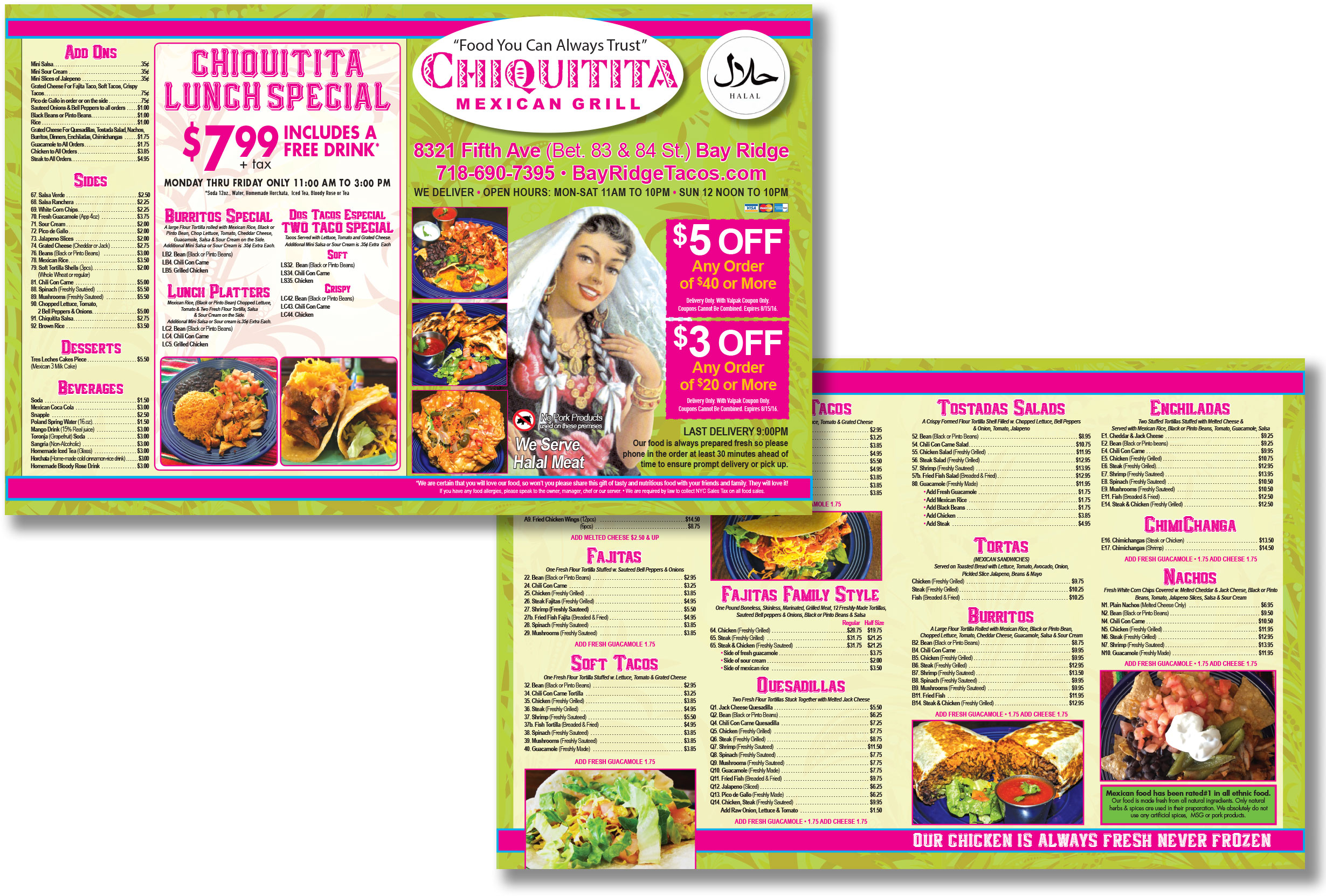
Horizontal Layout visual showing the Bleed, Trim, Live Area, and indicating where the Fold and Gutters are located.
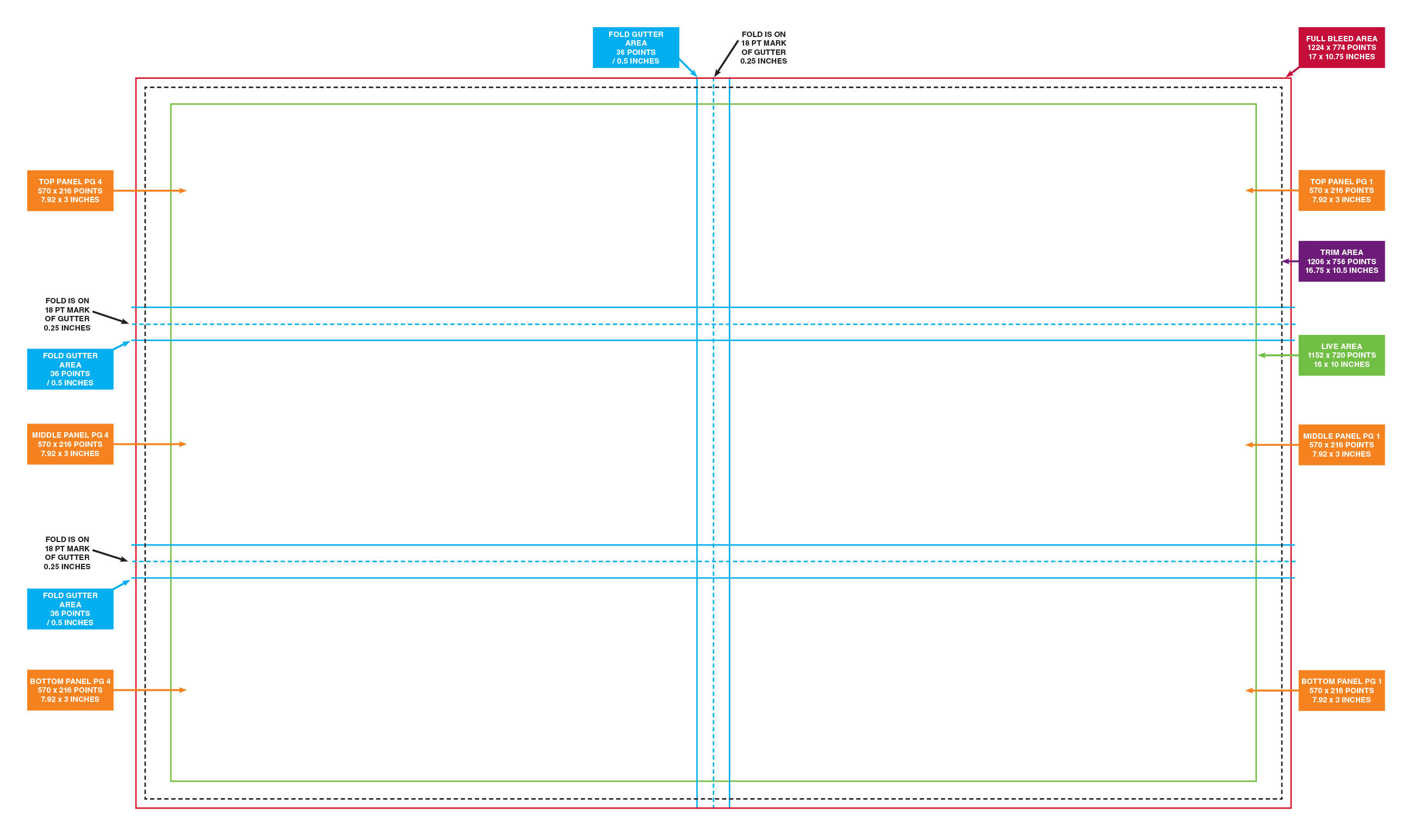
How to build this product:
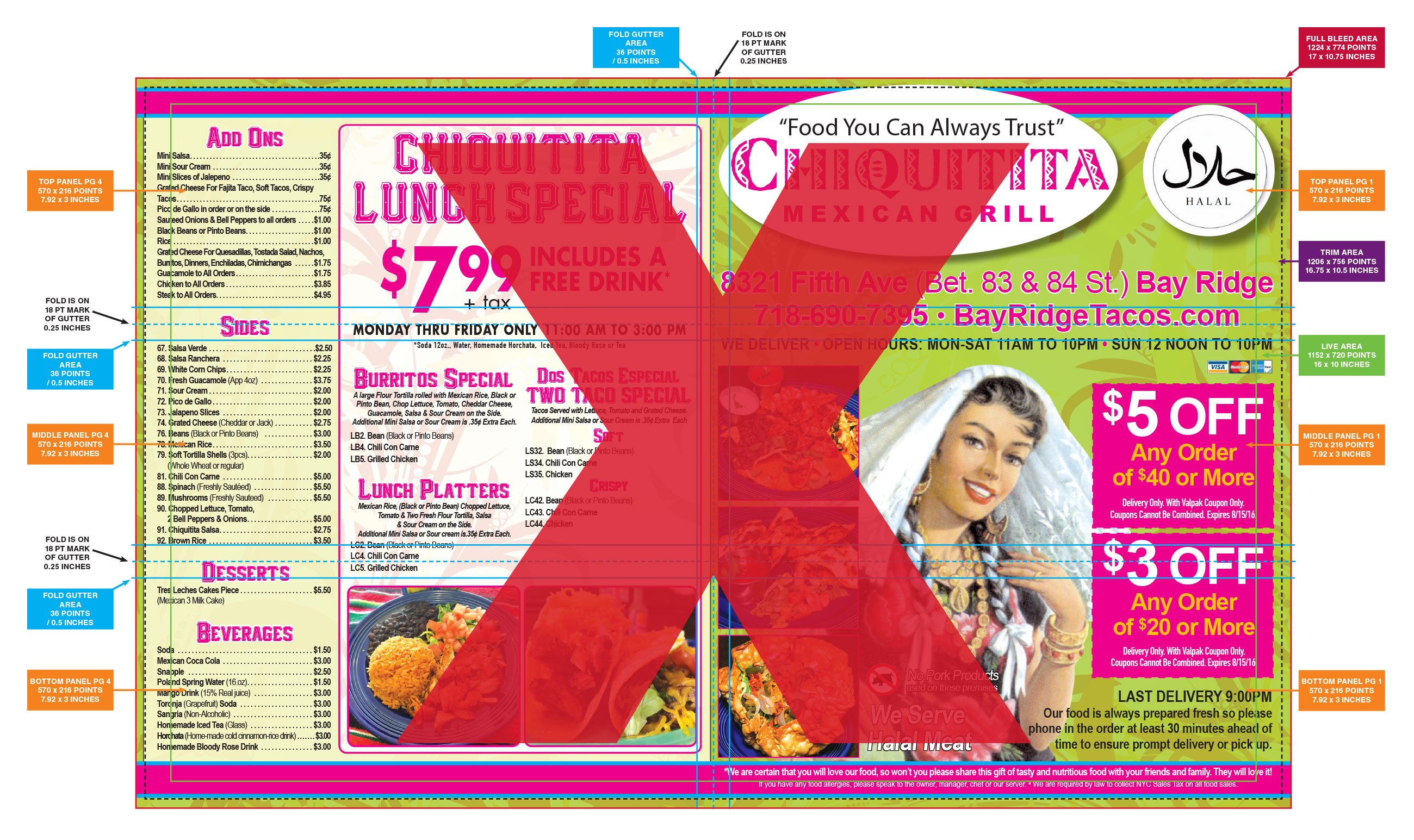
!!! INCORRECT:
Horizontal Layout visual showing an incorrectly built 6FB44-P product. Notice that there’s text, credit cards, offers and logos extending to the Bleed size. This will result in this pertinent and important information being trimmed or cropped off.
CORRECT:
Horizontal Layout visual showing a correctly built 6FB44-P product. The background is fully extending to the bleed size, and all the important layout elements are completely within the Live Image Area.